
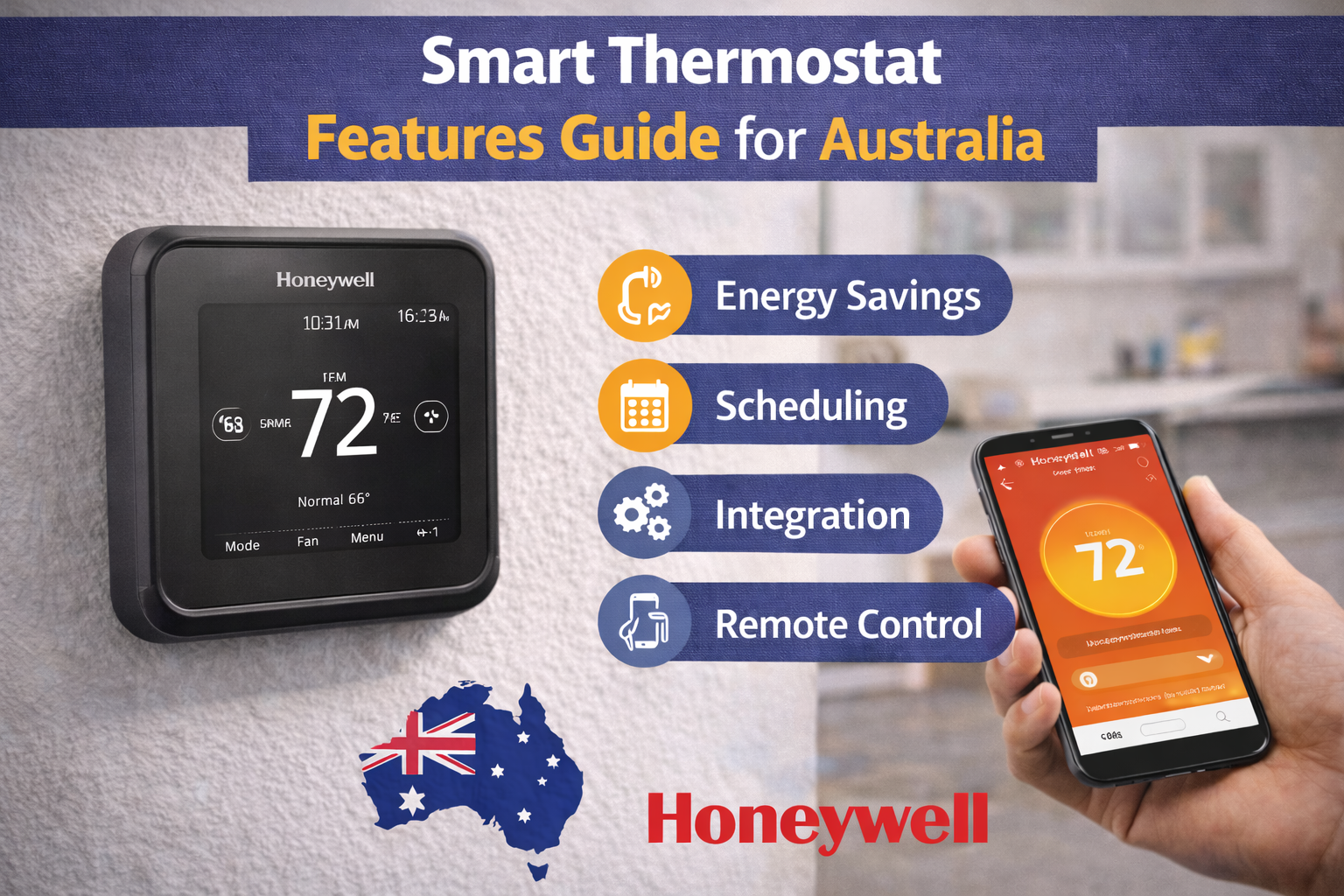
Beyond Basic Temperature Control
If you are shopping based on smart thermostat features, you are already asking a better question than most buyers. A lot of people still choose a thermostat by screen size or brand name alone. That can work sometimes, but it often leads to underused features, setup frustration, or a thermostat that is technically “smart” but barely used beyond simple temperature changes.
The big shift with modern controls is this: a smart thermostat is not just a digital wall switch. It is a control hub. It can handle remote thermostat control, smarter scheduling, alerts, home/away changes, and energy monitoring features that help you spot waste earlier. In the right home or small commercial space, that can improve comfort and lower running costs without changing the HVAC unit itself.

The problem is that many owners pay for advanced features and never set them up. Geofencing is left off. Notifications are ignored. Schedules are copied from a default template that does not match real life. Energy reports are available but never reviewed. Then the thermostat gets blamed for not “saving much” when the real issue is that the best features were never turned on or tuned properly.
This guide fixes that. It explains smart thermostat features in plain English, with Australian context and practical examples, so you can understand what each feature does, who it helps, and what to check before relying on it. The goal is not to push the fanciest model. The goal is to help you maximise the value of the thermostat you choose.
If you want the broader foundation first, our intelligent thermostat overview is a good starting point before diving into feature-level decisions.
If you are already comparing products and want to see what feature sets look like across common model families, you can browse feature-rich smart thermostats and use this guide to sort which functions matter for your home or site.

We will also keep the advice grounded in Australian conditions. A smart thermostat setup that feels excellent in a Melbourne winter-and-summer swing can behave differently in Brisbane humidity or Perth heatwaves. The feature list matters, but setup matters even more.
Did You Know?
A lot of poor “smart thermostat results” come from setup, not hardware. Even good smart thermostat features can underperform if schedules, WiFi settings, or home/away triggers are left on default settings.
By the end of this article, you should be able to look at a thermostat feature sheet and quickly tell which items are essential, which are useful for your routine, and which are mostly optional extras.
Remote Control & Mobile Apps
For most people, remote thermostat control is the feature that makes a thermostat genuinely smart. Being able to change temperature settings from the couch is handy, but the real value shows up when you are away from the property and your plans change. You might leave for work and forget the cooling is still running. You might be driving back from a weekend away and want the house comfortable before you arrive. You might manage a small office and need to check if the system was left on after hours. This is where mobile app control earns its place.

Control from anywhere in the world sounds like a marketing line, but in practice it is simple. The thermostat connects to your home WiFi network and pairs with the manufacturer app. As long as the thermostat is online and your phone has internet access, you can view and adjust settings remotely. The key point is reliability. A smart thermostat app is only useful if the thermostat maintains a stable connection and the app is easy to use under pressure, not just in a demo.
Real-time temperature monitoring is another major part of the app experience. Instead of guessing whether the house is actually cooling or heating, you can check the current room temperature, setpoint, and system mode. Some apps also show whether the system is actively calling for heating or cooling. That helps owners and tradies separate “it feels warm” complaints from actual control behaviour. It does not replace proper diagnosis, but it gives better visibility before a service call.

Schedule adjustments on the go are where the app can save money. A lot of smart thermostat scheduling gains come from small changes made at the right time. If you know you will be home late, you can delay the schedule instead of cooling an empty house. If you are coming home earlier than expected, you can bring the comfort period forward. A manual or basic programmable thermostat can do similar timing, but only if someone is physically at the wall controller and remembers to change it.
Multiple user access is a practical feature that gets overlooked until people start sharing control. In family homes, one person may manage schedules while others need simple override access. In small businesses, a manager may want full control while staff only need limited changes. Good app design usually lets you handle this more cleanly than passing around one wall code or leaving the thermostat unlocked all the time.
Push notifications can be genuinely useful when configured properly. The best examples are connection loss alerts, high or low temperature alerts, and reminders tied to system usage patterns. If a property is vacant for part of the week, a sudden temperature spike or drop can be a useful warning sign. The mistake many users make is turning every notification on. Too many alerts become background noise, and then the important ones get ignored.
Historical data review is another strong feature for people trying to improve comfort or lower bills. App history can show when the system was adjusted, how often overrides happen, and whether the home is running on schedule or mostly in manual changes. If you keep seeing constant overrides, that usually means the schedule is wrong or the setpoints are unrealistic. That insight helps you fix the control strategy instead of blaming the system every week.
For people comparing products, it helps to start with app-controlled thermostats and then look beyond the hardware photos to how the app handles scheduling, alerts, and shared access. Those day-to-day software details matter as much as the wall unit itself.
One common mistake is expecting the app to fix a wiring or compatibility issue. If the thermostat is not correctly installed or the system type is configured wrong, the app may look perfect while the HVAC behaviour is still wrong. Smart features improve control, but they still depend on correct setup and compatible control wiring.
Geofencing: Auto Home/Away Mode
Geofencing is one of the most useful smart thermostat features for people with changing routines. A geofencing thermostat uses your phone’s location to estimate whether you are home or away, then changes the thermostat mode or setpoint automatically. In simple terms, it creates a virtual boundary around your home. When your phone leaves that area, the thermostat can shift to an energy-saving setting. When your phone returns, it can start moving the home back toward your comfort setting.
That sounds simple, but good setup makes a big difference. The size of the geofence matters. If the boundary is too small, the system may switch modes too late, especially if travel time is long or traffic is unpredictable. If the boundary is too large, it may start conditioning too early and reduce the energy savings. The right setting depends on your commute and how quickly your home heats up or cools down.

Automatic temperature adjustment is the main benefit, but the real value is consistency. People are busy. Even households that mean to use schedules properly often forget to switch to away mode when plans change. Geofencing reduces that human error. It is especially useful in hybrid work households where the same weekly pattern does not always apply.
Energy savings when away can be significant in the right home, but the savings depend on how the rest of the setup is handled. If the away setpoint is only changed by one degree, the saving may be small. If the away setpoint is sensible and the house is empty for long blocks, the gain can be more noticeable. The goal is not extreme settings that make the system work hard later. The goal is controlled setback that reduces unnecessary runtime.
Setting arrival and departure triggers properly is the most common setup challenge. A lot of users turn geofencing on and leave default values in place. Then they complain that comfort is late or the system runs too early. Take time to match the triggers to your travel habits and to how your house responds. A brick home, a well-insulated home, and a draughty home can all behave very differently.
Multiple phone support for families is essential if more than one person lives in the home. If geofencing tracks only one phone, the system may switch to away mode while someone else is still home. Most decent smart platforms support multiple users, but it still needs correct app permissions and location sharing on each phone. This is one of the biggest “geofencing doesn’t work” complaints, and it is usually a setup issue rather than a hardware issue.
Australian commute times are worth considering when setting geofence boundaries. In some suburbs, a 15 km trip can be quick. In others, traffic makes the same distance a much longer run. If you are in Sydney, Melbourne, or Brisbane and commute times vary a lot, geofencing should be tested for a week or two before you lock in the settings. A boundary based on distance alone may not be enough if travel times change daily.
Geofencing also works best when paired with sensible schedules, not as a complete replacement for them. Think of it as a smart override layer. A good base schedule handles normal weekdays. Geofencing catches exceptions, late days, and unexpected changes.
Tech Specs
Geofencing depends on phone location services, app permissions, and a stable internet connection. If any one of those is disabled or restricted, the thermostat may not switch modes when expected, even though the feature is enabled in the app.
For tradies and support teams, geofencing is also worth checking during commissioning. If a customer wants energy savings but has an unpredictable routine, geofencing is often the first smart automation feature to set up properly because it delivers visible value quickly.
Advanced Features Comparison
Not all smart thermostat features carry equal value. Some features improve daily comfort and save real time. Others are useful but depend heavily on the household routine, system type, or how willing the user is to tune the settings. The table below is a practical comparison, not a marketing scorecard. It is designed to help you match the feature to the use case.
If you are comparing products across brands, it helps to read a broader thermostat brand comparison as well, because feature quality depends on both hardware and software support.

| Feature | Main benefit | Best for | What to check first |
|---|---|---|---|
| Learning algorithms | Auto optimisation of timing and setpoint behaviour | Homes with changing patterns and users who want less manual scheduling | Whether the model actually supports learning mode and how it can be adjusted or disabled |
| Voice control | Hands-free convenience and routine triggers | Homes already using smart speakers or home automation | Platform compatibility, account linking, and supported commands in your region |
| Energy reports | Bill tracking insight and runtime pattern visibility | Owners trying to optimise usage and identify waste | Whether reports show runtime only or estimated cost, and whether tariffs can be entered accurately |
| Weather adaptation | Climate response and smarter pre-heating/pre-cooling timing | Homes in variable climates like Melbourne or exposed coastal areas | Stable internet connection, local weather data accuracy, and realistic setpoints |
| Zoning integration | Multi-room control and better comfort targeting | Larger homes and systems with compatible zone control | Zone controller compatibility, wiring, and whether the thermostat is controlling zones or only one stage |

The “learning thermostat” idea is a good example of why details matter. Some buyers assume all smart thermostats learn automatically. They do not. Many smart models are connected and app-enabled but still rely on manual schedules. That is not a flaw. For many users, predictable schedules are easier to control and troubleshoot than aggressive automation.
The same applies to smart thermostat zoning. Some people expect one thermostat to solve uneven room temperatures by itself. If the duct system or zone hardware is not designed for zoning control, the thermostat alone cannot create room-by-room control. The thermostat can improve scheduling and monitoring, but zoning performance still depends on compatible control hardware and setup.
When reviewing features, think in terms of “benefit on this job” rather than “longest feature list.” That habit leads to better decisions and fewer complaints after installation.
Voice Control Integration
A voice control thermostat can be genuinely useful, but it works best when treated as a convenience layer rather than the main control method. The most common use cases are quick temperature changes, switching modes during cooking or cleaning, and running routines like “goodnight” or “leaving home” that also adjust lights and other devices.
Amazon Alexa compatibility is commonly requested because many homes already use Echo devices. When the thermostat platform supports Alexa, users can ask for temperature changes, mode changes, and status checks depending on the integration level. The key point is to confirm the exact commands supported by the thermostat app and region, because “works with Alexa” does not always mean every command is available.
Google Assistant support is also popular, especially in homes using Google Nest speakers or Android-based smart home setups. In practice, the user experience is similar: simple voice commands for setpoint changes and routines that tie the thermostat into a broader smart home flow. For many households, this is less about novelty and more about convenience when hands are full or when different family members want an easy way to make small changes.
Apple HomeKit options matter for users already committed to the Apple ecosystem. Some smart thermostat brands support HomeKit directly, while others rely on bridges, workarounds, or do not support it at all. If HomeKit is important to the home, confirm this before buying. It is one of those features that can be a deal-breaker for some users and irrelevant to others.

Voice commands for temperature changes are the most-used voice feature, but routine automation is where the real value grows. A “good morning” routine can trigger a comfort setting change while opening blinds and starting other automations. A “leaving home” routine can reduce HVAC runtime, which helps energy savings if people regularly forget to adjust the thermostat manually.
Smart thermostat home automation works best when the thermostat is integrated into a simple, reliable routine set. A common mistake is overbuilding the automation on day one. Too many conditions, conflicting scenes, and unclear user permissions can make the system harder to live with than a normal schedule. Start with a few routines that solve real problems, then expand only if the household actually uses them.
If you want the thermostat to be part of a broader connected setup, our article on smart home integration systems can help you plan how controls fit with other devices without turning the setup into a headache.
Australian accent recognition is a real-world point worth mentioning. Voice assistants are much better than they used to be, but command reliability still improves when you keep thermostat names simple. Short names like “Hall thermostat” or “Upstairs air” usually work better than long, similar device names. If a household has multiple smart speakers and multiple devices, clean naming can make the difference between “this is handy” and “this never listens properly.”
For tradies and installers, voice control should be presented as optional. It is easy for customers to get excited about voice commands and ignore the more important setup steps like schedules, WiFi stability, and correct system configuration. A well-configured thermostat without voice control will usually outperform a badly configured thermostat that responds to voice.
Energy Monitoring & Reports
Smart thermostat energy reports are one of the best features for people trying to understand where heating and cooling costs are going. They do not replace a meter, and they do not diagnose every system problem, but they give useful operating insight that basic thermostats simply cannot provide.

Real-time energy usage tracking usually means the thermostat app is estimating system activity based on runtime and operating patterns, not directly reading your full house meter. Some users expect exact utility-bill accuracy and feel disappointed when the numbers differ. That is the wrong way to use the feature. The best use is trend tracking: when runtime is rising, when schedules are causing waste, and when usage is changing compared with previous weeks.
Daily, weekly, and monthly reports are where the feature becomes practical. A daily view helps spot unusual events like a day when cooling ran far longer than expected. Weekly views help compare work-from-home weeks versus travel weeks. Monthly summaries are useful for seasonal planning and for checking whether schedule changes are actually helping. The value is not just the number itself. It is the pattern.

Comparison to previous periods can help users avoid bad assumptions. People often say, “The thermostat must be worse because my bill went up,” when the real reason is a hotter month, more people at home, or longer runtime due to a heatwave. Comparing against similar periods gives better context. It also helps identify genuine issues, like a steady increase in runtime under similar weather conditions.
Cost estimation features can be useful if the app allows tariff inputs. In Australia, electricity prices vary by retailer, state, and tariff type. Time-of-use plans can make cost estimates more complex. If your thermostat app supports cost settings, use your real bill rate where possible and treat the result as an estimate, not a guaranteed bill forecast.
Tip recommendations are common in smart thermostat apps, and some are helpful. Suggestions like tightening schedules, reducing unnecessary overrides, or adjusting away settings can improve results. Others may be generic. Use them as prompts to review your settings, not as automatic instructions for every home. A setting that saves money in one house can hurt comfort in another.
Australian electricity rate integration is not always perfect, so the most practical method is still to compare thermostat reports with your actual bill and seasonal conditions. If the thermostat shows reduced runtime and your bills remain high, the issue may be tariff changes, other appliances, or system performance problems outside the thermostat’s control.
This is also where smart thermostat features help tradies and support teams. When a customer says, “The new thermostat is costing me more,” runtime history and report trends can help frame the conversation. Maybe the thermostat is running longer because the customer is now keeping the home cooler. Maybe geofencing is disabled. Maybe schedules are overlapping. The data gives a starting point instead of guessing.
It is important to say this clearly: energy reports do not replace maintenance. If filters are blocked, airflow is poor, or sensors are out of position, the thermostat can only report what it is asking the system to do. It cannot fix the mechanical side by itself.
For users comparing models, focus on how clear the reports are, how easy the app makes it to compare periods, and whether the platform helps you turn insight into action. A fancy chart is less useful than a report you can understand quickly and use to adjust your schedule.
Pro Tip
Use energy reports to compare behaviour changes, not just bills. If you change geofencing or scheduling settings, give it two to four weeks and compare runtime patterns before deciding whether the feature is helping.
If the thermostat is part of a new install or control upgrade, safe setup still matters. For wiring changes or configuration work beyond simple app settings, follow proper safety practices and use qualified installers where needed. General guidance is available from Safe Work Australia.
Australian Climate Optimization
Smart thermostat Australian climate performance is less about having a special “Australia mode” and more about using the features in a way that matches local weather patterns and how homes behave here. The same smart thermostat features can perform very differently depending on humidity, building type, insulation, and daily weather swings.
Melbourne’s four-seasons-in-one-day pattern is a good example. Weather adaptation and flexible scheduling can help because conditions can shift quickly. A thermostat with strong app control and easy overrides is often more useful here than a rigid schedule alone. If the day warms up unexpectedly, remote control and smart scheduling changes can stop the system from running to an old plan that no longer suits the conditions.
Brisbane humidity changes how people judge comfort. Many users focus only on temperature, then overcool the house trying to feel less sticky. Smart thermostat features like better scheduling, geofencing, and usage review can help reduce that habit by keeping comfort more consistent instead of blasting the system after the house has warmed up too much. In humid climates, small timing improvements can feel more comfortable than big temperature changes.
Perth heatwave management is another area where smart features matter. During long hot periods, remote monitoring and scheduling become very practical. If the house is empty for part of the day, a sensible away strategy can reduce unnecessary runtime. If someone is returning earlier, remote control lets the home recover comfort before arrival without running hard all afternoon. The feature value here is often in planning and timing, not just setpoint changes.
Sydney temperature swings and coastal conditions can create comfort complaints that are really control problems. Coastal homes often feel different because of humidity and airflow patterns, and users may keep fiddling with the thermostat throughout the day. This is where smart thermostat scheduling plus app-based overrides can reduce constant manual changes. A steady control plan usually beats random setpoint changes every couple of hours.
Coastal versus inland settings are worth thinking about when setting schedules and automation. Coastal homes may prioritise steady comfort and humidity perception, while inland homes may need stronger setback strategies because day-night temperature swings can be larger. There is no single “best” schedule. Smart features give you the tools to adapt, but the settings should reflect the local climate and how the building behaves.
Seasonal automation tips are simple but effective. Review schedules at the start of each major season instead of leaving the same pattern all year. Check geofencing boundaries when daylight and traffic patterns change. Review energy reports after the first hot or cold month to confirm the new schedule is doing what you expected. These are small tasks, but they are exactly how smart thermostat features produce better results over time.
Smart thermostat zoning also becomes more valuable in larger homes where sun exposure changes by room. One side of the house may heat up faster in summer afternoons, while other zones stay comfortable. If the system supports zoning properly, smart control can improve comfort and reduce the “whole house over-conditioned for one hot room” problem. But again, zoning depends on the actual control hardware, not just the thermostat app.
The main point is this: climate optimisation is a setup habit, not a one-time purchase decision. Good smart thermostat features make local tuning easier, but they still need a user or installer who is willing to review settings after real weather arrives.
Maximize Your Smart Features
By now, the pattern should be clear. The best smart thermostat features are not always the flashiest ones. The features that usually deliver the most value are remote control, smart thermostat scheduling, sensible geofencing, useful energy monitoring, and reliable app access. Extras like voice control and deeper home automation can be excellent too, but they work best after the core setup is done properly.
If you want to maximise your investment, start with the basics and tune from there. Confirm the thermostat is matched to the system type and installed correctly. Set a realistic schedule. Add geofencing if your routine changes often. Turn on only the notifications you will actually pay attention to. Review energy reports after a few weeks. Then adjust based on real usage, not guesses.
For buyers still choosing between models, it helps to compare feature sets against your routine, not just the product page headline. Some homes get outstanding value from simple connected controls with strong remote access. Others benefit more from broader smart thermostat home automation, voice integration, or zoning support. The right answer depends on the system and the people using it every day.
If you are still narrowing options, reviewing a wider thermostat brand comparison can help you see how different platforms handle features, apps, and support before you commit.
It is also worth reading our guide on thermostat installation and setup because even the best features will disappoint if wiring, system type configuration, or commissioning steps are skipped.
When you are ready to compare products, you can browse advanced smart thermostats and shortlist models based on the features you now know you will actually use.
We supply Australia-wide, and the safest next step is always a compatibility check before purchase if there is any uncertainty around wiring, system type, zoning, or control voltage. Talk to our team to confirm compatibility, discuss installation needs, and get guidance based on your actual setup rather than generic online advice.
If you want the short version, here it is. Smart thermostat features save the most time and money when they match your routine, your climate, and your HVAC system. Choose the right features, set them up properly, and review the data after real-world use. That is how a smart thermostat becomes a practical upgrade, not just a nicer screen on the wall.