
The Wireless Advantage
If you have ever charged a system by weight on a busy day, you already know the annoying part. You set the bottle on the scale, start the job, walk back to the manifold, then walk back again to read the scale. On one job that feels minor. Across a week of split installs, light commercial service, or recovery work, it becomes wasted labour. That is the real reason tradies search for a mastercool bluetooth scale. They are not chasing gadgets. They are trying to stop walking back to the scale every few minutes and get a cleaner, calmer workflow.
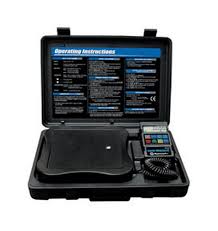
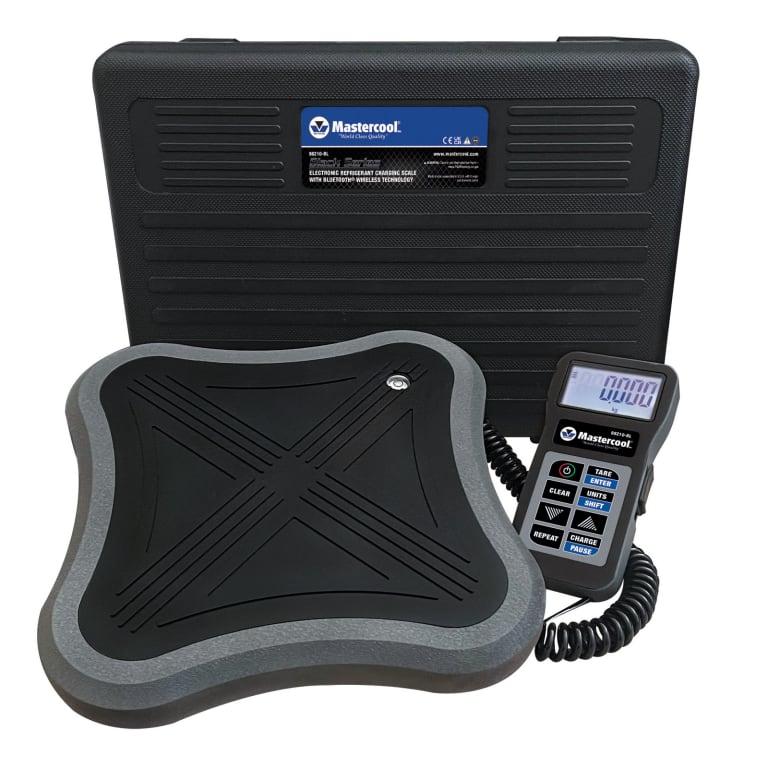
Mastercool’s Bluetooth charging scale story centres on the 98210-BL, which the company describes as a Black Series electronic charging scale with Bluetooth wireless technology, 110 kg capacity, and a connection to the free Mastercool Connect app on compatible iOS and Android devices. HVACShop also presents the same model as the main local Mastercool Bluetooth option, currently listed around the mid-$400 mark, which makes it the obvious starting point for anyone researching wireless charging in Australia.
This guide stays tightly focused on that context. We will explain how Mastercool Bluetooth scales work, what the Mastercool Connect app actually does, where wireless charging saves time, how the 98210-BL performs in Australian field conditions, what the optional 98230 solenoid module changes, and how Mastercool stacks up against Fieldpiece when the question becomes ecosystem versus workflow. If you want the broader brand context first, the Mastercool scales overview is the right pillar page to read alongside this article.
The best way to think about a Mastercool wireless scale is not as a luxury. It is a jobsite efficiency tool. A tech working in Brisbane humidity may want fewer trips between the cylinder and the unit. A Sydney contractor on a windy rooftop may want to stay near the manifold and away from the bottle once the setup is live. A Melbourne tech squeezing through a narrow plant room may simply want the scale parked once, then monitored from where the real work is happening. That is the wireless advantage in plain English.

How Mastercool Bluetooth Scales Work
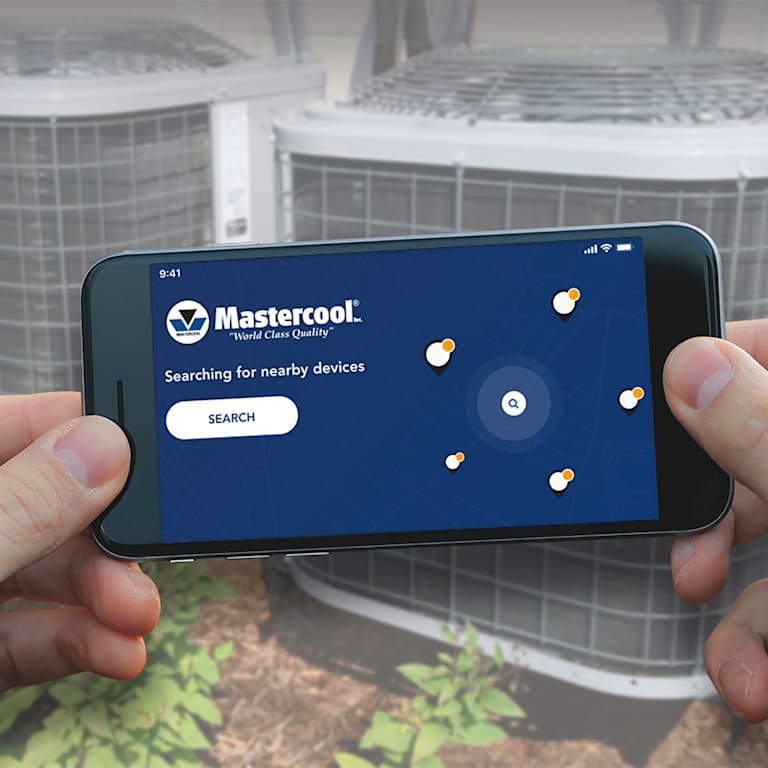
The 98210-BL is built around Bluetooth Low Energy communication between the scale and the Mastercool Connect app. In practice, that means the scale stays under the cylinder, the handset stays with the technician, and the weight moves to the phone instead of forcing the technician back to the platform to read it. Mastercool’s published material says the scale pairs with the free Mastercool Connect app and supports remote monitoring and control on compatible iOS and Android devices.
Pairing is meant to be straightforward. Mastercool’s app documentation says to download the app, turn on the Bluetooth-capable device, then begin receiving and analysing data from nearby enabled Mastercool tools. The app page and current scale literature both say the app requires iOS 11 or later and Android 6 or later, which is useful because it sets a clear compatibility floor for technicians wondering whether an older work phone will keep up.
Real-time weight transmission is the whole point. Official 98210-BL material says the app can remotely display the weight of charge and recovery quantities, while the scale’s published functions also include charge programming, empty/full tank capacity tracking, and repeat charging of a stored amount. That means the wireless side is not only about reading a number from a distance. It is meant to support the actual charging workflow and reduce stop-start behaviour on site.
Range is one of the headline specs. Mastercool publishes a maximum line-of-sight Bluetooth range of 260 feet, or 80 metres, on the 98210-BL. The important phrase there is line of sight. In a clean open area, that is a generous figure. In real buildings, concrete, steel, doors, switchboards, and service risers will usually reduce it. Even so, for typical HVAC tasks like monitoring from beside the manifold, from the shaded side of a rooftop unit, or from a doorway into a plant room, that published range gives plenty of room to work.
Battery versus mains power is another practical point. The 98210-BL is fundamentally a mobile field tool, not a mains-dependent bench instrument. Mastercool publishes battery life at approximately 38 hours, which is one reason the scale makes sense on rooftops, outdoor condensers, and general service work where dragging a power lead around would defeat the whole point of wireless convenience. For most tradies, that means the real power management issue is keeping the scale and the phone charged, not finding an outlet.

Mastercool’s current 98210-BL literature lists 110 kg capacity, no more than ±0.05% accuracy of reading, 0.01 kg resolution, battery life of about 38 hours, and Bluetooth wireless range up to 80 metres line of sight, with app support for iOS 11+ and Android 6+.
Mastercool Connect App Features
The mastercool connect app is the part that turns a Bluetooth scale from a neat trick into a real workflow tool. The core published use for the 98210-BL is remote display of charge and recovery quantities, which means the technician can see live weight on the phone while standing where the work is actually happening. For many buyers, that single feature is enough to justify interest because it removes repeated bottle checks without changing the basic charging method they already know.
Mastercool also publishes scale-specific app functions beyond simple live display. These include charge programming, which lets the user set a target quantity, tank capacity programming with empty and full references so refrigerant remaining in the cylinder is easier to track, and a repeat function so a previously stored amount can be charged again. Those are practical features, not brochure fluff. They matter because they reduce manual tracking and make repeated tasks feel more deliberate.
App-side unit flexibility is also part of the package. Mastercool’s published scale specs list three display modes on the unit itself—kilograms, pounds, and ounces—which supports the broader idea of multiple unit conversion in the connected workflow. That matters more than some buyers expect because different technicians, suppliers, and job notes still move between metric and imperial ways of thinking about charge. A good app-controlled scale should make that easier, not harder.
Data logging and export need to be handled honestly. The broader Mastercool Connect app material clearly says the app is used with Bluetooth-capable Mastercool devices to receive and analyse live data, and it specifically describes downloadable data analysis for some other Mastercool instruments such as smart manifolds. For the 98210-BL itself, the published functions emphasise remote display, charge programming, tank tracking, and repeat charging rather than a long list of scale-specific reporting tools. So if professional reporting, stored history, or export behaviour is a make-or-break issue for your business, the smart move is to verify the current app behaviour on your actual device before standardising it across the fleet.
The same caution applies to app-side tare and zero control. The 98210-BL’s published functions do not make that the headline. In real use, many technicians will still treat tare and zero as part of the scale setup itself, then use the app mainly for remote viewing and programmed charging functions. That is not a weakness. It is just a reminder that the value of the app is in mobility and workflow control, not in replacing every hands-on part of the setup.
If you are trying to decide whether the app matters enough to step into Bluetooth, the simplest answer is this: if you regularly charge or recover in places where the bottle is not the ideal place for the technician to stand, the app starts paying for itself quickly. That is why the Mastercool 98210-BL Bluetooth model keeps showing up in discussions about smarter charging, and why the wider Mastercool Bluetooth tools collection matters for tradies who want to keep more of their workflow inside one brand family.
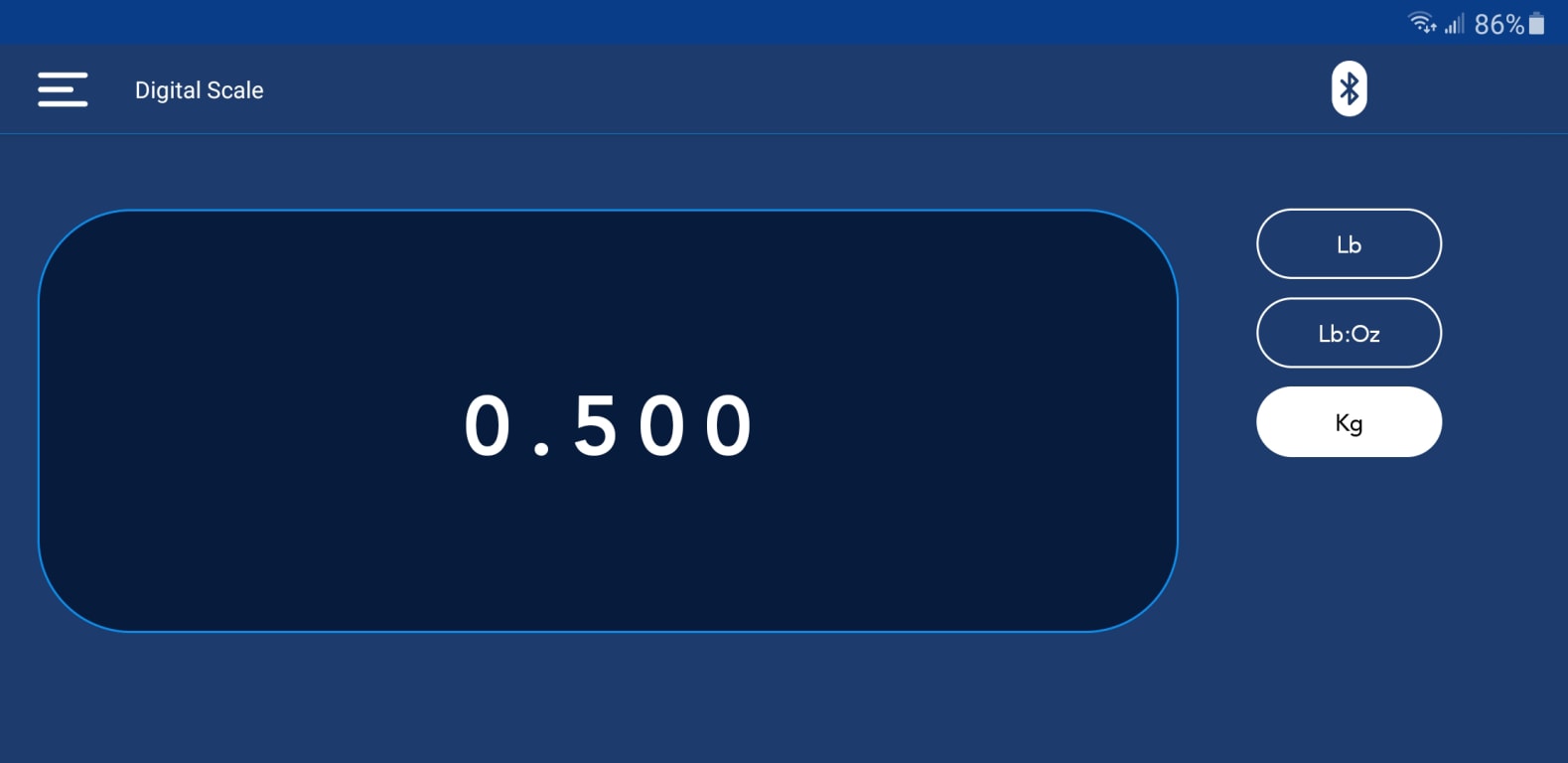
The biggest app benefit is often not the number on the screen. It is the calmer work rhythm that comes from setting the bottle once, staying near the manifold, and watching the live weight where you are already standing.
Wireless Workflow Benefits
The workflow gain from a mastercool wireless scale is easier to see when you compare it task by task. Traditional charging makes the scale a place you keep returning to. Wireless charging makes it a place you set once, then monitor remotely. That does not mean every job suddenly becomes dramatically shorter. It means the wasted little laps and interruptions start disappearing, especially on awkward sites.
| Task | Traditional scale workflow | Wireless scale workflow | Typical effect |
|---|---|---|---|
| Setup | Place the scale, then keep returning to it to confirm progress | Place the scale once and keep the phone with you | Cleaner start and less reshuffling around the bottle |
| Charging | Monitor from the scale side, then go back to the manifold | Monitor from the manifold or service position | Less walking and fewer broken thought cycles |
| Recovery | Keep watching the recovery cylinder and scale together | Watch the weight remotely while staying with the recovery workflow | Often feels like much less scale babysitting on recovery-heavy jobs |
| Total job tempo | Stop-start rhythm with repeated back-and-forth checks | Faster, steadier workflow with fewer interruptions | Noticeable time savings where the old method involved lots of walking |
The most obvious gain is setup. On a traditional job, the bottle, scale, and technician all tend to pull each other into the same corner of the work area. With a wireless routine, the scale can stay where it is stable and sensible, while the technician works where the valves, manifold, and system readings are easiest to manage. That is a real workflow advantage, especially on rooftops and cluttered plant areas.
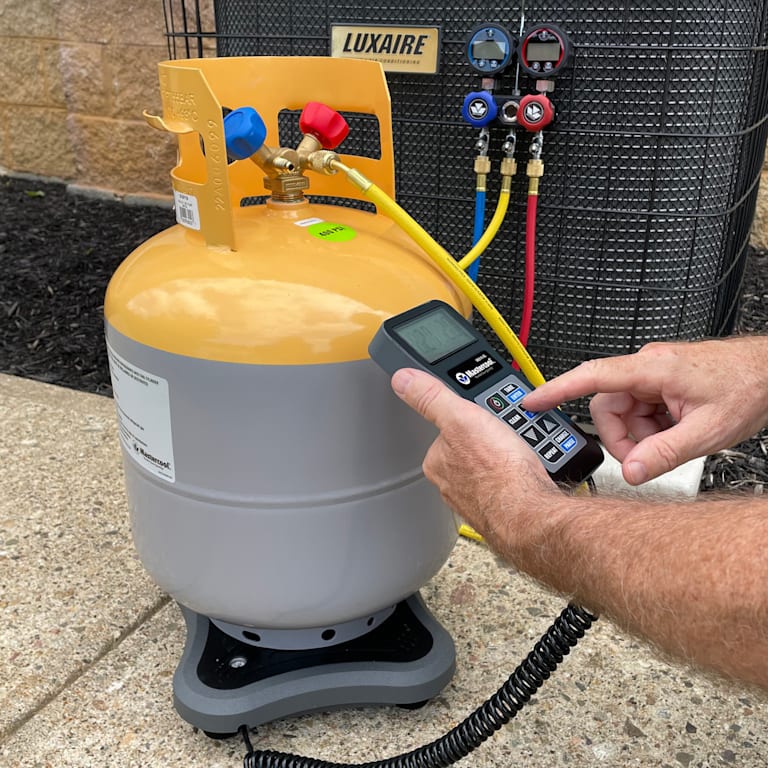
Charging is where the value becomes visible quickly. Instead of jogging back to the bottle, you watch the live weight from the manifold side. The more awkward the site layout, the bigger that benefit feels. A simple residential split may only save a little walking. A larger service call with barriers, access ladders, or plant enclosures can feel dramatically smoother.
Recovery work may show the strongest difference because it is one of the easiest places to waste time just watching the scale. The wireless recovery workflow idea makes sense because the weight can be watched from where the recovery machine and the rest of the process are happening. On recovery-heavy work, many technicians describe the benefit as a major reduction in babysitting time, especially when the old method involved constant repositioning and visual checks. The workflow gain is often the kind of thing people loosely talk about as cutting a noticeable chunk of stop-start time, sometimes in the 30–50% range depending on the site and how inefficient the old layout was.
This is also where the one allowed external safety reminder fits naturally. Less walking back and forward, less awkward leaning around cylinders, and less unnecessary movement in active plant areas all support safer work habits. For the broader Australian safety context, the relevant public reference is Australian workplace safety. The scale does not replace good site practice, but a better workflow can absolutely support it.
98210-BL Bluetooth Performance
Published performance for the 98210-BL is straightforward: up to 80 metres line of sight, Bluetooth 4.2 and 5, and battery life of about 38 hours. That makes the scale sound generous on paper, but the real question is how that feels in Australian field conditions. The short answer is that the official range is plenty for most HVAC work, but like any wireless tool, buildings matter more than paper specs. Concrete slabs, steel doors, switchboards, risers, and packed plant rooms will always reduce what “80 metres line of sight” feels like in real use.
On a rooftop-to-access-hatch kind of workflow, the published range is usually more than enough. You are not trying to monitor the scale from the carpark. You are usually trying to move a few metres away to where glare is lower, hose management is cleaner, or your hands are already busy with the rest of the job. In those situations, the wireless gain is less about maximum distance and more about freedom to stand in the better spot.
Plant room to outdoor unit workflows are similar. The connection bottleneck is often layout, not advertised range. If the scale is parked in a sensible spot and the phone stays in the same work zone, the Bluetooth side is usually doing a fairly simple job. Problems become more likely when the signal path is loaded with heavy structure or when technicians expect a line-of-sight figure to behave the same through walls and services. That is not a Mastercool problem so much as a basic wireless reality.
Connection reliability is really a habit question as much as a hardware one. A clean pairing, a charged scale, a charged phone, and a realistic understanding of the site layout go a long way. Once that is in place, the wireless feature becomes a workflow tool rather than something you are constantly testing. For many users, the best sign that the Bluetooth side is working is that they stop thinking about it and just get on with the charge.
Battery life on the published figure looks strong enough for real field use. Approximately 38 hours means most technicians are not going to drain it in a normal day unless charging discipline is already poor. The more important field habit is treating the scale like any other critical powered tool: check it before the job, not after it fails. That is especially true when the whole point of the Bluetooth feature is making the day smoother.
Australian conditions do matter, even if the spec sheet does not call them out one by one. Brisbane humidity, Sydney coastal air, Melbourne cold snaps, and WA heat all affect people and workflows before they affect published electronics. In practice, the 98210-BL’s main advantage is that it gives you one less thing to fight when the weather or the site is already annoying. That is the sort of performance gain tradies actually remember.
Optional Solenoid Automation (98230)
The optional 98230 module is where the Mastercool Bluetooth scale story moves from remote viewing into automation. Mastercool’s published functions for the 98210-BL include Pause/Charge when used with the 98230 Charging Solenoid Module, and Mastercool’s catalogue material says the 98230 turns the 98210-BL into an automatic programmable scale. In plain language, that means the app-controlled side is no longer only monitoring the job. It starts taking a more active role in how the charge is delivered.
This matters most on jobs where repeated charge amounts, cleaner control, or less hands-on interruption are worth real money. Large repetitive install work is the obvious example. If a technician keeps doing the same sort of charge procedure and wants the process to feel more consistent, the 98230 begins to justify itself. On lighter service work, it can be helpful, but it is not automatically essential. The best way to think about it is as a multiplier on the 98210-BL, not the reason to buy the scale in the first place.
Installation requirements should be treated seriously because this is where people can get overexcited about automation and forget the basics. You still need a sensible charging setup, clean hose management, correct refrigerant handling, and a user who understands what the system is actually doing. Automation is there to reduce repetition and improve control, not to replace judgement. If your charging method is already sloppy, a solenoid module does not magically make it professional.
ROI is therefore very job dependent. If the scale comes out once in a while, the module may be hard to justify. If the workflow is repeated often, the reduced stop-start behaviour and cleaner programmed charging can be worth it. That is also why the broader Mastercool range is worth noticing. Mastercool’s official charging-scale categories list both the 98230 module and the 98315 wireless charging scale with solenoid, which shows that the brand sees automation as a genuine pathway, not a one-off gimmick.
The 98230 module makes most sense after you already know the 98210-BL fits your daily workflow. First solve the walking and monitoring problem. Then decide whether automation is the next real bottleneck worth paying for.
Mastercool vs Fieldpiece Wireless Scales
The Mastercool vs competitors question usually comes down to ecosystem, not just raw scale performance. On the Mastercool side, the 98210-BL is built around the Mastercool Connect app, with published scale functions focused on remote weight display, programmed quantities, tank capacity tracking, repeat charging, and optional pause/charge control when paired with the 98230 module. On the Fieldpiece side, the wireless scale story sits inside the broader Job Link system, which is explicitly designed to integrate wireless tools across the app environment.
App capability is therefore one of the main difference points. Mastercool’s current published scale workflow is centred on the charging job itself. Fieldpiece’s Job Link messaging is broader and more ecosystem-focused, with official language around linking tools and jobs, and wireless scale data feeding into the same app environment used by other probes and instruments. That does not automatically make one better. It just means the buyer should be honest about whether they want a scale-first wireless upgrade or a deeper multi-tool wireless ecosystem.
Accuracy is another meaningful difference. Mastercool publishes the 98210-BL at no more than ±0.05% of reading. Fieldpiece positions its wireless scale offer more aggressively at the premium end, with a broader app ecosystem around it. That means Fieldpiece clearly pushes hard on top-end wireless integration, while Mastercool positions the 98210-BL as a strong app-controlled charge-and-recovery tool with optional automation.
Australian pricing is easier to state on the Mastercool side because HVACShop openly lists the 98210-BL around the mid-$400 mark at present. Fieldpiece Australia clearly lists wireless refrigerant scales on its local site, but open shelf pricing is less consistently displayed in the same simple way, so the practical comparison often becomes published Mastercool price versus Fieldpiece dealer quote or distributor price. That is worth knowing because it changes how straightforward the buying process feels.
Support networks are strong on both sides, just in different ways. Mastercool has its own app, published Bluetooth scale literature, and a local HVACShop presence that keeps the buying path simple for Australian users. Fieldpiece has the local Australian site, the Job Link app ecosystem, and a very clear wireless tool family. A buyer already invested in Job Link probes may lean Fieldpiece for obvious reasons. A buyer who mainly wants a Mastercool app-controlled scale with an optional automation path may lean 98210-BL just as logically.
The cleanest professional recommendation is this: choose Mastercool if your main priority is remote charging workflow, simple app-linked weight monitoring, and a straight path into Mastercool solenoid automation. Choose Fieldpiece if you are already invested in Job Link or want the wireless scale to sit inside a larger all-Fieldpiece wireless reporting ecosystem. Neither choice is irrational. The right one depends on what the rest of your van already looks like and how much of your business is built around wireless workflows.
Upgrade to Wireless Efficiency
The case for a mastercool bluetooth refrigerant scale is really the case for removing wasted movement from charging work. The 98210-BL gives you remote weight display, app-linked charging functions, 110 kg capacity, published 80 metre line-of-sight wireless range, and a clear path into optional solenoid automation if your workload grows into it. That makes it much more than a digital platform with a fancy badge. It is a workflow upgrade for technicians who are tired of bouncing between the bottle and the job.
The time-saving side is easiest to feel rather than overstate. Wireless does not magically halve every job. What it usually does is remove the small repeated movements that drag down concentration and tempo. On simple jobs the gain is modest but pleasant. On awkward jobs—rooftops, plant rooms, recovery-heavy service, tight commercial spaces—the gain is often much more obvious. That is why the digital charging scales category now matters to more tradies than it did a few years ago. People are starting to judge scales by workflow, not only by capacity and accuracy.
If you want a simple next step, start by reading the complete 98210-BL guide, then compare it against the rest of the Mastercool Bluetooth tools range and your own real workflow. If your team keeps losing time to scale walking, clumsy recovery monitoring, or awkward charging layouts, that is the strongest sign that wireless is worth looking at properly.
And if the 98210-BL already sounds like the right fit, the low-pressure next step is simply to review the live shop Bluetooth scales page, confirm the current pricing and included features, and talk to the team if you want help checking whether the scale, app, and optional solenoid path suit your workflow. That keeps the decision practical, which is exactly how a good HVAC tool purchase should feel.