
Working Smarter, Not Harder on Aussie Job Sites
If you’ve been on a construction site anywhere in Australia — whether it’s a high-rise going up in Sydney’s Barangaroo, a housing estate in outer Brisbane, or a commercial fit-out in regional WA — you’ll know the pace is relentless. You’re juggling deadlines, dodging weather delays, keeping an eye on safety, and trying to make sure every measurement and detail is spot on.
Back in the day, we all made do with a mix of scribbled notes, hand-measured numbers, and a bit of memory. But let’s be honest — one wrong number, one lost scrap of paper, and you’ve got rework, wasted time, and a cranky client.
That’s where Bluetooth tool apps come in. They connect your tools directly to your phone or tablet, logging data automatically so you can focus on the job, not the paperwork. The result? Fewer mistakes, quicker reporting, and way less mucking around.

In this guide, we’re covering:
Why It Matters: Aussie Construction Needs Precision and Speed
Australia’s building and construction industry is huge — and competitive. Whether you’re laying formwork in Melbourne, welding beams in Perth, or doing HVAC installs in Darwin, you’re under pressure to deliver fast, compliant, and accurate work.
The Problem Without Integration
Without a tool/app setup, measurements and data often get passed around by word-of-mouth or messy text messages. This leaves plenty of room for:
- Wrong numbers creeping in.
- Jobs being held up waiting for “the right measurement”.
- Lost time redoing work.
- Compliance headaches when inspectors ask for proof.
The Bluetooth Advantage
When your tools are linked to an app, your data is instantly stored in the right job file. You can share it with your crew, project manager, or even the client before you’ve left the site. No re-typing. No chasing numbers. And you’ve got a timestamped record if anyone questions your work later.
How It Works: Bluetooth Tools + Apps in Plain English
You don’t need to be a tech wizard to make this work. If you’ve ever paired a Bluetooth speaker, you can set up your tools.
- Turn On the Tool: Make sure it’s charged, powered up, and Bluetooth mode is on.
- Open the App: This might be a brand-specific app (like Fieldpiece Job Link) or a general construction app.
- Pair the Devices: In the app’s settings, find your tool and connect. It’s usually just a tap.
- Get to Work: Take your measurements, pressures, or torque readings as usual.
- Let the App Do Its Thing: The data is automatically saved in the right place — no typing, no manual logging.
- Share Instantly: Send results to your team or attach them to a job report on the spot.
This whole setup runs smoothly with quality gear from the Bluetooth Smart Tools Collection.
Aussie Tips & Buyer’s Guide
The trick to getting the most out of Bluetooth tool apps is making sure you pick the right combination for your trade and work conditions.
1. Think About Your Environment
Working in Cairns? You’ll want tools with a high IP rating to handle humidity. On dusty SA or WA sites? Go for sealed buttons and cases.
2. Check Offline Mode
Many regional and even urban sites have dodgy reception. Make sure your app saves data locally and syncs when you’re back online.
3. Match Your Trade
- HVAC techs: Get apps that log temperature and pressure trends.
- Carpenters: Choose apps that store measurements and can export them as job notes.
- Sparkies: Look for apps that let you attach readings to wiring diagrams.
4. Battery Life Matters
Nothing worse than your tool dying mid-job. Check run times and carry spares or a charger in the ute.
Best Bluetooth Tool Apps Aussies Use
Here are the apps getting the most love on Aussie job sites:
- MeasureON (Bosch): Perfect for carpenters, shopfitters, and cabinet makers. Captures measurements from Bluetooth lasers straight to your device. Great for planning layouts.
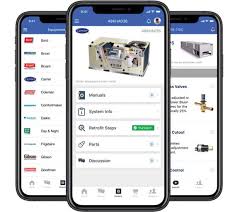
- Fieldpiece Job Link: HVAC tradies swear by this one. Live system diagnostics, temperature, pressure logging — all saved to the cloud or local storage.
- DeWalt Tool Connect: Fantastic for big crews. Tracks tool location, battery life, and even lets you disable a stolen tool remotely.
- Hilti ON!Track: Used by larger construction outfits to keep tabs on tools, consumables, and even maintenance schedules.
- Leica DISTO Plan: Spot-on for surveyors and high-precision jobs. Syncs laser measurements with job drawings in real time.
Best Tools to Pair with Apps

A good app is only as good as the tool it’s paired with. Here’s what works best from our collection:
- Bluetooth Laser Measurers: Accurate, quick, and perfect for carpentry or fit-outs.
- Bluetooth HVAC Gauges: Streamline service calls with instant logging.
- Smart Torque Wrenches: Ensure mechanical installs meet specs and record proof.
Check them out in the Bluetooth Smart Tools Collection.
Maintenance Must-Knows
- Update Firmware: Keeps tools compatible with new app versions.
- Clean Sensors: Dust or grime can affect readings.
- Store Properly: Waterproof cases for wet areas, padded cases for rough transport.
- Charge Regularly: Make it part of your end-of-day routine.
Client Story: Perth Builder Goes Fully Digital
Steve runs a medium-sized commercial crew in Perth. He switched his team over to Bluetooth laser measurers and HVAC gauges connected through DeWalt Tool Connect and Fieldpiece Job Link. Within the first month:
- Site reports were being sent the same day.
- Rework dropped by 40%.
- Compliance inspections were smoother.
“The boys aren’t wasting time writing things down twice. We take the reading, it’s saved, and everyone’s got it instantly.”

Key Takeaways
- Bluetooth tool apps cut rework, speed up reporting, and improve accuracy.
- Choose tools with high IP ratings, offline support, and good battery life.
- Match apps to your trade for the best results.
- Keep firmware updated and sensors clean.
- Upgrade when your tools can’t keep up with app tech.
Ready to work faster and smarter? Explore our Bluetooth Smart Tools Collection today — shipped Australia-wide.
FAQs
A: No — check the manufacturer’s compatibility list before buying.
A: Most apps have offline modes, but always confirm.
A: Some are weather-resistant, but check the IP rating.
A: Usually 10–30 metres, depending on site layout.
A: Yes, if the app supports shared access.
A: Leading apps use encryption, but always keep devices updated.